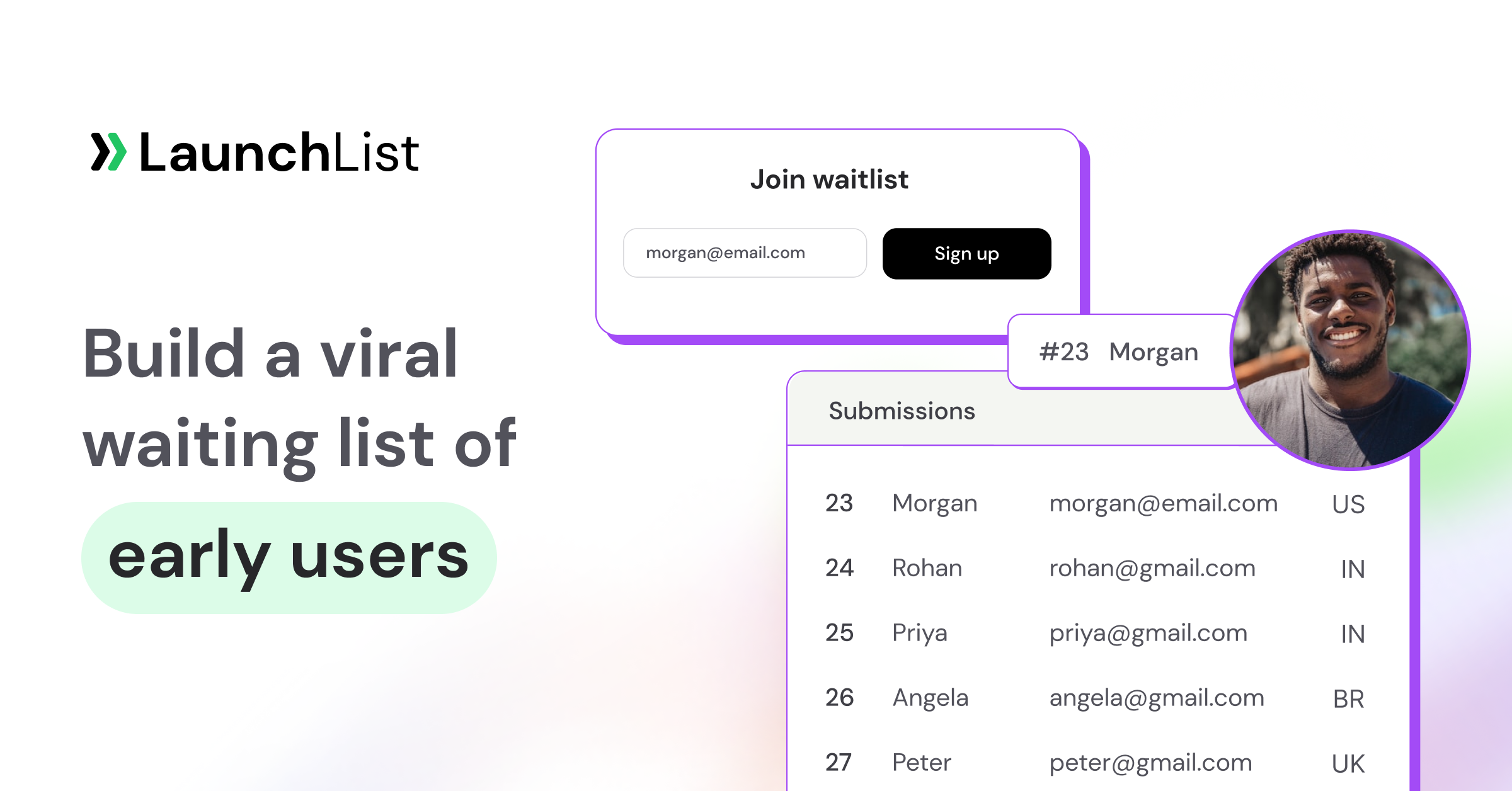
TL;DR: A hosted waitlist page is a standalone URL the tool hosts for you — fastest to ship, distraction-free, but lives on the tool's domain. An embedded widget drops the signup form into your own site — full brand and SEO control, but requires a site, design work, and a bit of integration. Use the hosted page when you don't yet have a site (or need to move fast on a Product Hunt or paid-social launch). Use the widget when your brand site is your moat. The hybrid pattern — widget on your site, hosted page as the shareable "clean room" for cold social traffic — is what most launches end up running.
Founders evaluating LaunchList (and most waitlist tools) hit the same fork early: do I use the hosted waitlist page, or embed the widget on my site? It sounds like a technical detail. It isn't. The mode you pick shapes your conversion rate, your SEO footprint, your brand trust, and how fast you can iterate. This guide lays out the trade-off honestly.
The two modes, defined
Hosted waitlist page. A standalone URL the waitlist tool hosts for you. On LaunchList that's a section-based Page Builder — drag-and-drop hero, features, how-it-works, FAQ, and signup-form sections, with SaaS and Mobile App starter templates. You configure content, colors, copy, and referral mechanics in a dashboard. No code. No site required. Live in under an hour and covers the entire pre-launch journey — signup, position, referral link, share.
Embeddable widget. A small JavaScript snippet you paste into any page on your own site. Something like:
<script async src="https://getlaunchlist.com/js/widget.js"></script>
<div class="launchlist-widget" data-key-id="YOUR_KEY"></div>
The signup form renders inside your existing design. The visitor never leaves your domain. All the same referral, position tracking, and rewards mechanics run through the widget.
Both modes use the same underlying product — same referral logic, same leaderboard, same anti-spam stack (reCAPTCHA, disposable-domain blocking, rate limiting), same optional email validation add-on, same analytics. What differs is where the form lives and who owns the URL.
Comparison at a glance
| Dimension | Hosted page | Embedded widget |
|---|---|---|
| Time to live | Under an hour | 10 min on a finished site, longer if you're building one |
| Design control | Moderate (dashboard options) | Full (your site, your CSS) |
| Domain / SEO ownership | Tool's domain | Your domain |
| Brand trust (mature brand) | Lower | Higher |
| Brand trust (new / no site) | Higher (looks intentional) | N/A — nowhere to embed |
| Conversion on cold social traffic | Often higher — distraction-free | Depends on surrounding page |
| Conversion on warm branded traffic | Slightly lower — off-domain jump | Higher — no context switch |
| Analytics attribution | Tool-native | Your own GA/PostHog + tool's |
| Custom domain / SSL | Grow tier on LaunchList | Native — your SSL |
| CSS / JS conflicts | None | Possible on complex themes |
| Mobile performance | Tool-optimized | Depends on your site |
| Iteration speed | Fast (dashboard) | Tied to site deploy cycle |
The two rows that swing most decisions are domain / SEO ownership and time to live. Everything else tends to fall out from there.
When the hosted page wins
Pick the hosted waitlist page when:
1. You don't have a site yet. This is the single most common case. A founder has an idea, wants to validate demand, doesn't want to spend a weekend setting up a Webflow/Framer/Squarespace site first. A hosted page is live in under an hour and captures exactly the same signal.
2. You're running a fast launch (Product Hunt, paid social, cold outbound). Cold social traffic is ruthless. Every extra element on the page — nav, footer, blog link, pricing — is an opportunity to bounce. Hosted pages are distraction-free by construction. See our landing page examples for why minimal pages convert well on cold traffic.
3. You're non-technical. No engineer, no designer, no CSS debugging, no deploy cycles. Change the headline in the dashboard and it ships.
4. You're testing an idea. The hosted page is a cheap experiment. If the idea doesn't catch, you've spent an hour, not a weekend. This is the standard coming soon page pattern — ship, validate, decide.
5. You want a shareable URL that doesn't "smell" like your half-finished marketing site. Early-stage marketing sites are often rough. A clean hosted page on a tool's subdomain can paradoxically feel more trustworthy than a broken hero section and 404s under your own domain.
6. You're on the Grow tier and want a custom domain. LaunchList's hosted page supports custom domains on the Grow tier ($79, $149, $299/mo), which removes the "tool subdomain" concern entirely — you get the fast-ship simplicity with your own branding on the URL.
When the embedded widget wins
Pick the widget when:
1. You already have a brand site with traffic. Every visitor who clicks off-domain to sign up is a small conversion leak. If your site converts traffic today, keep the signup form on-site. The widget is the right answer.
2. SEO is part of the plan. A hosted page on a tool's domain cannot build domain authority for your brand. If the long-term strategy involves ranking for [your category] waitlist or [your brand] early access, the page must live on your domain. The widget is the only mode that builds your SEO.
3. Your brand design is a differentiator. Premium brands (designer tools, high-end SaaS, creator products) lose a subtle trust signal when the signup flow jumps off-domain into a tool-hosted page. The widget keeps the brand experience continuous.
4. You want custom analytics attribution. GA4, PostHog, Segment, Umami, and server-side tracking all work natively when the form is on your site. With a hosted page, you rely on the tool's analytics plus whatever UTMs survive the redirect.
5. You have a custom funnel. Pricing page → feature page → waitlist widget → thank you page. If the signup is one step in a broader journey, it has to live inside the journey, not off to the side.
LaunchList supports native widget embeds across 13 platforms — Webflow, WordPress, Squarespace, Framer, Carrd, Wix, Bubble, React, HTML, Weebly, Typedream, Instapage, Cargo — documented on the integrations page. Platform-specific walkthroughs live in the Webflow guide, Squarespace guide, and WordPress guide.
The hybrid pattern (what most launches actually run)
After a few dozen launches, a pattern emerges: founders don't actually pick one. They run both.
The typical setup:
- Brand site (yourproduct.com): Widget embedded on the homepage or a dedicated
/waitlistpage. Primary destination for organic, SEO, and branded traffic. This is where Google ranks you. - Hosted page (tool-hosted URL or custom-domain subdomain): Shareable "clean room" for cold traffic — Product Hunt launch URL, paid social landing page, Twitter/X posts, Reddit links, cold outbound. Distraction-free and optimized for conversion.
The hosted page is the funnel URL; the embedded widget is the brand URL. Both go to the same underlying waitlist, so referrals, position tracking, and the leaderboard work identically across entry points. UTM tags are captured on every signup, so per-source attribution stays clean.
For campaigns running on the SaaS pre-launch playbook, the hybrid setup is almost always the right answer — it takes under two hours to set up both, and the lift on cold-traffic conversion usually pays for the extra setup on day one.
Conversion rate: an honest framing
Founders often ask which mode "converts better." The honest answer: it depends on traffic temperature.
Cold social and paid traffic. Hosted pages often convert higher on cold clicks because they're single-purpose and low-distraction. A visitor from a Product Hunt launch or a paid X ad lands, reads one headline, sees one CTA, and signs up or bounces. No surrounding marketing site to click through.
Warm and branded traffic. Embedded widgets tend to convert higher on warm traffic — someone who already trusts your brand, navigated from your homepage, and is ready to commit. An off-domain jump introduces a tiny trust wobble that costs a measurable percentage.
Neither difference is huge in isolation. Both modes routinely land in the 20–45% signup conversion range on well-designed waitlist pages, with the specific number dominated by headline, CTA, and audience match, not by hosted-vs-embedded. If your numbers are well below that band, the headline or audience match is almost always the fix — see why is my waitlist not converting.
Pitfalls of each mode
Hosted page pitfalls
1. No SEO for your brand. The tool's domain ranks, not yours. Fine for short campaigns, a real problem if you're trying to build organic traffic pre-launch.
2. Brand discontinuity. If someone clicks from yourbrand.com to tooldomain.com/your-project, a fraction will bounce on the domain change. Custom domain on the Grow tier fixes this.
3. Limited layout flexibility (less true than it used to be). Old hosted pages were one-section affairs — headline, CTA, done. The current LaunchList Page Builder ships hero, features, how-it-works, FAQ, and signup-form sections you can reorder and toggle independently, so the "I need a five-section narrative" objection mostly disappears. If you need fully custom layout (e.g., a video hero with a multi-column comparison table), a custom marketing page plus widget is still the right answer.
4. Trust signals from the URL itself. For some enterprise and high-ticket audiences, a tool-subdomain URL feels "startup-y." For indie hackers and consumer apps, this is a non-issue.
Embedded widget pitfalls
1. CSS / JS conflicts. On a complex WordPress theme or a heavy Webflow site, the widget's CSS can collide with site styles. Usually a 10-minute fix, occasionally an afternoon.
2. Slower iteration. Changing a headline on a hosted page takes 30 seconds. Changing a headline on your embedded page usually means editing the CMS, waiting for a deploy, and clearing CDN cache.
3. Analytics double-counting. If you track events in both your own analytics and the tool's dashboard, numbers often disagree. Pick one source of truth.
4. Page performance. A heavily loaded marketing site can slow the time-to-interactive of the widget. If your Lighthouse mobile score is already marginal, adding a widget is not free. LaunchList loads the widget async (<script async>), which helps.
5. Custom email domain still matters. Whether you use hosted or widget, the transactional confirmation and welcome emails need to come from your domain for deliverability. Custom sender domains are part of the Grow tier and configured in the dashboard with DNS records.
How LaunchList ships both
Worth being explicit: LaunchList supports both modes as first-class options, not as one being "real" and the other being a fallback.
- Hosted waitlist page is available on every plan, including Free (100 signups). It's built with the section-based Page Builder (hero / features / how it works / FAQ / signup form, plus SaaS and Mobile App starter templates). Custom domain support is on the Grow tier.
- Embeddable widget is available on every plan, across 13 native integrations.
- Both share the same backend — referrals, leaderboard, position tracking, milestone rewards, reCAPTCHA, disposable-domain blocking, rate limiting, optional email validation, webhooks, and ESP integrations. See the full feature list.
The practical recommendation: start with the hosted page for speed, add the widget to your brand site once that site exists, and run them in parallel for cold vs warm traffic.
A decision tree you can run in 30 seconds
- No brand site yet? → Hosted page. Revisit when you have a site.
- Brand site exists, SEO matters for your category? → Widget (primary), optionally add a hosted page for cold campaigns.
- Running a fast Product Hunt / paid social launch? → Hosted page for the campaign URL, regardless of whether the widget is also live.
- Non-technical solo founder, no engineer? → Hosted page. Widget if and when you add a site.
- Premium brand, design-led product? → Widget. Brand continuity matters.
- D2C / ecommerce drop? → Widget on your ecommerce waitlist page, hosted page for ad campaigns.
- B2B SaaS with content marketing? → Widget — see the SaaS waitlist guide.
Common mistakes
1. Picking one mode because you "have to." You don't. Both are cheap to run in parallel, and the hybrid covers more traffic types.
2. Embedding a widget on a marketing page that's half-built. If your site feels rough, a hosted page converts better than a broken brand experience.
3. Obsessing over conversion rate at the wrong layer. Headline and CTA dominate. Hosted-vs-embedded is a secondary lever. Fix the copy first.
4. Forgetting the share page. Wherever the signup lives, the post-signup page — position counter, referral link, leaderboard — is where viral growth happens. Both modes expose this, but it's easy to accept the default and miss the lift.
5. Not testing on mobile. A large share of pre-launch traffic is mobile. Hosted pages are mobile-tested by the tool; embedded widgets are as good as your site's mobile layout.
FAQ
Can I use both a hosted page and an embedded widget at the same time?
Yes, and most launches do. The hosted page is the shareable campaign URL (Product Hunt, paid ads, cold social); the widget is the on-site signup form. Both feed the same waitlist backend, so referrals and position tracking work identically across entry points.
Does the hosted page rank in Google for my brand?
No. The hosted page lives on the tool's domain and builds the tool's domain authority, not yours. If SEO is a real channel for you, the embedded widget on your own domain is the only way to build brand rankings.
Can I put the hosted page on my own domain?
On LaunchList, custom domain support for the hosted page is on the Grow tier ($79 / $149 / $299/mo). That removes the "tool subdomain" issue while keeping the fast-ship simplicity of the hosted mode.
Which mode has higher conversion?
It depends on traffic temperature. Hosted pages often convert higher on cold social and paid traffic because they're distraction-free. Embedded widgets often convert higher on warm branded traffic because they keep the brand experience continuous. Both routinely land in the 20–45% range when headline, CTA, and audience match are tight.
Does the embedded widget work on Webflow / Squarespace / WordPress?
Yes — LaunchList has native integrations with 13 platforms including Webflow, WordPress, Squarespace, Framer, Carrd, Wix, Bubble, React, HTML, Weebly, Typedream, Instapage, and Cargo. Platform-specific guides cover each embed pattern.
What about CSS conflicts with my theme?
They happen occasionally, usually on heavy WordPress themes with aggressive global CSS. Fixes are typically small (scoped styles or a container override). For most modern site builders (Webflow, Framer, Squarespace), the widget drops in cleanly.
Can I use the referral program with both modes?
Yes. The referral program, position tracking, leaderboard, and milestone rewards all work identically on the hosted page and the widget. They share the same backend.
Is the widget slow to load?
LaunchList's widget loads asynchronously (<script async>), so it doesn't block page rendering. On a well-optimized site, the widget's impact on performance is negligible. On an already-heavy site, it's a small additional cost like any third-party script.
Ship the mode that fits your stage
If you're pre-site, pre-launch, or pre-traffic — the hosted page is the right first move. Ship it in under an hour and start collecting signal. If you have a brand site with traffic, embed the widget and keep the signup experience on-domain. And when you're running a real launch, run both.
LaunchList supports both modes on every plan, across 13 native integrations, with referrals, leaderboards, anti-spam (reCAPTCHA, disposable-domain blocking, rate limiting), and webhook/ESP integrations for marketing sends. Free up to 100 signups, with one-time Launch pricing from $19 and Grow tier with custom domains from $79/mo.
Related reading: